
Agilicus AnyX Product Guide
Individual product guide pages are laid out below as cards. These are intended to be linked and navigated within the Agilicus AnyX administrative web interface, but are available here for reference.
For any product support needs, email support[@]agilicus.com, or use the Chat icon on the lower browser edge.
See system status.

A subset of the product guide in a structured fashion, for walking through more like a traditional book or course.


A list of training courses, each providing a linear walk through of specific product areas.

See a set of worked-out application notes / examples, each showing a specific use case and how to achieve it.

See, follow, subscribe to a set of articles on tips, tricks, best practices on using Agilicus AnyX.
Below is a list of all product guide pages. These are directly accessible from the admin web interface (https://admin.__MYDOMAIN__/).
-
Permissions
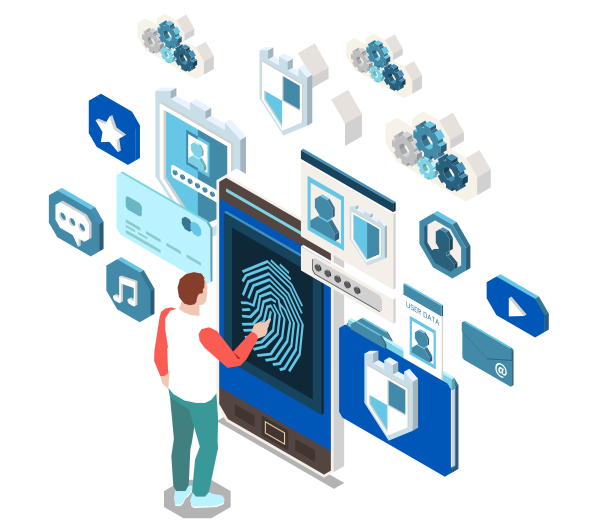
Permissions. Per user, per group, per application. Permissions can be by HTTP method, parameters. Fine-grained.
-
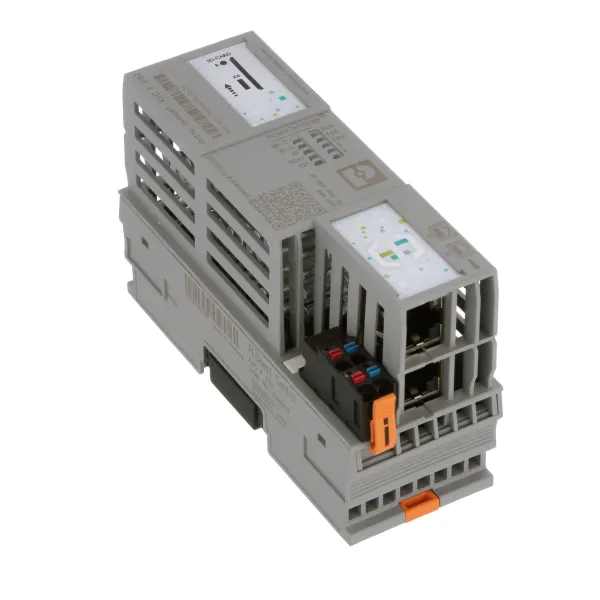
Phoenix Contact PLCnext AXC F 2152
Install the Agilicus connector directly on the Phoenix Contact PLCnext for highest security and simplest deployment.
-
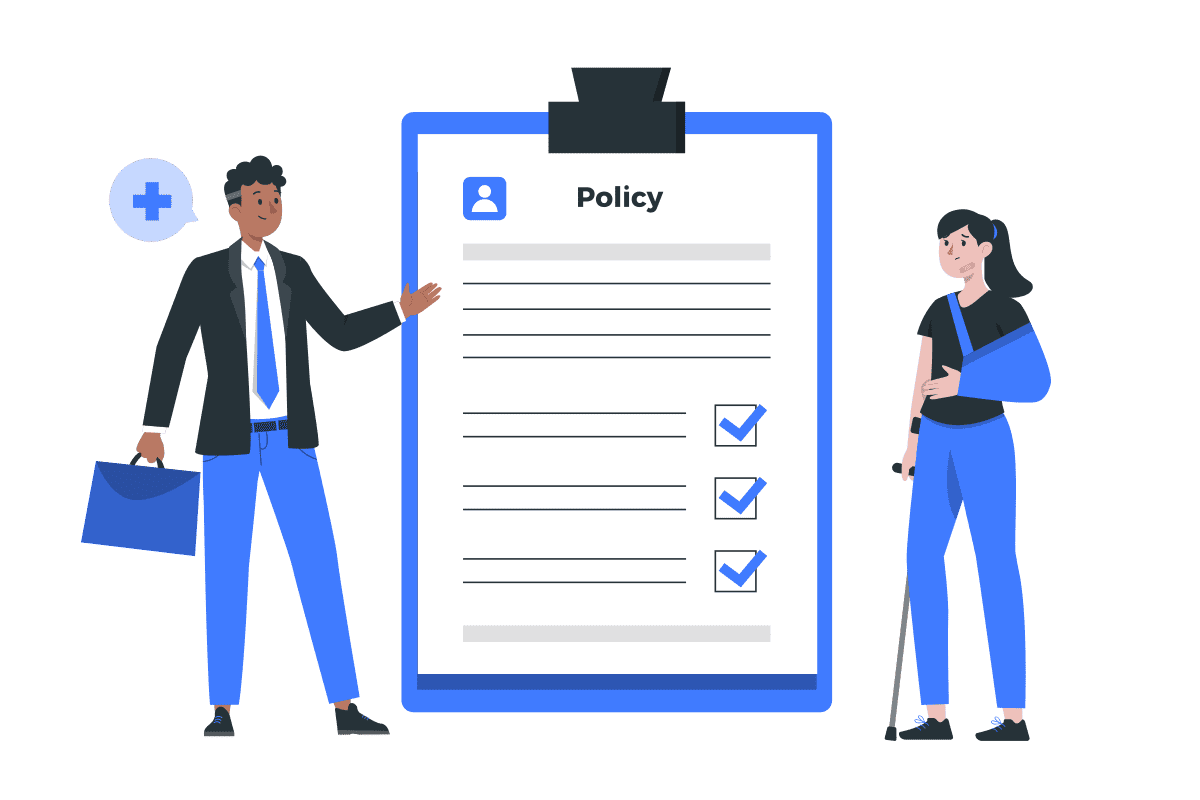
Policies
There are 3-phases in the life cycle of usage: Authentication, Authorisation, Access. People commonly refer to ‘multi-factor authentication’, which enriches the information a user must know/have/be in order to properly authenticate themselves. However, some security policies cannot be modelled simple as “do I know who this person is” in the authentication phase. These must be evaluated continually, rather than once when the user provides credentials. Below are a few example security policies that cannot be modelled solely with authentication.
-

Policies
The Policies page (route /policies) manages the authorisation policies that control access beyond the basic permission grant: geo-IP restrictions, device rules, and how often resources require multi-factor authentication. A policy is a set of rules that apply on top of permiss…
-

Policies and permissions
The heart of Agilicus AnyX is precise authorisation: deciding, for each user and each resource, exactly what that user may do. The portal gives you four related mechanisms: permissions, policies, resource groups, and labels. Access is granted to identities: – Users are people….
-
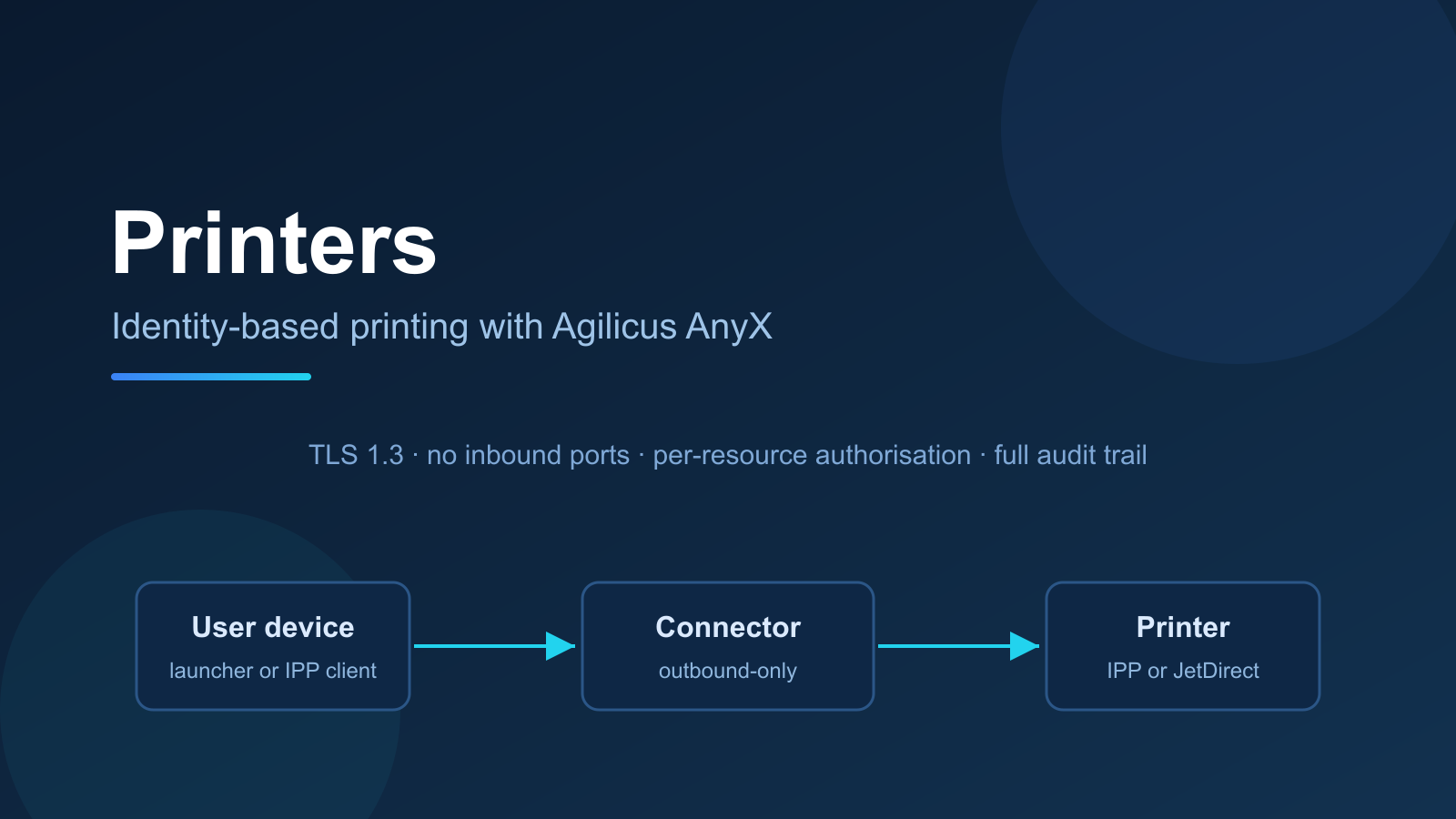
Printers
Publish network printers through Agilicus AnyX. Users reach printers with their corporate identity, the launcher installs them automatically, and the Connector keeps every job on an outbound-only connection.
-

Profile
The Profile page (route /profile) shows the details of the signed-in user’s own account: the personal information held by your identity provider, plus the Agilicus-generated identifier used across the platform. It is a read-only view, reached through the account menu in the to…
-
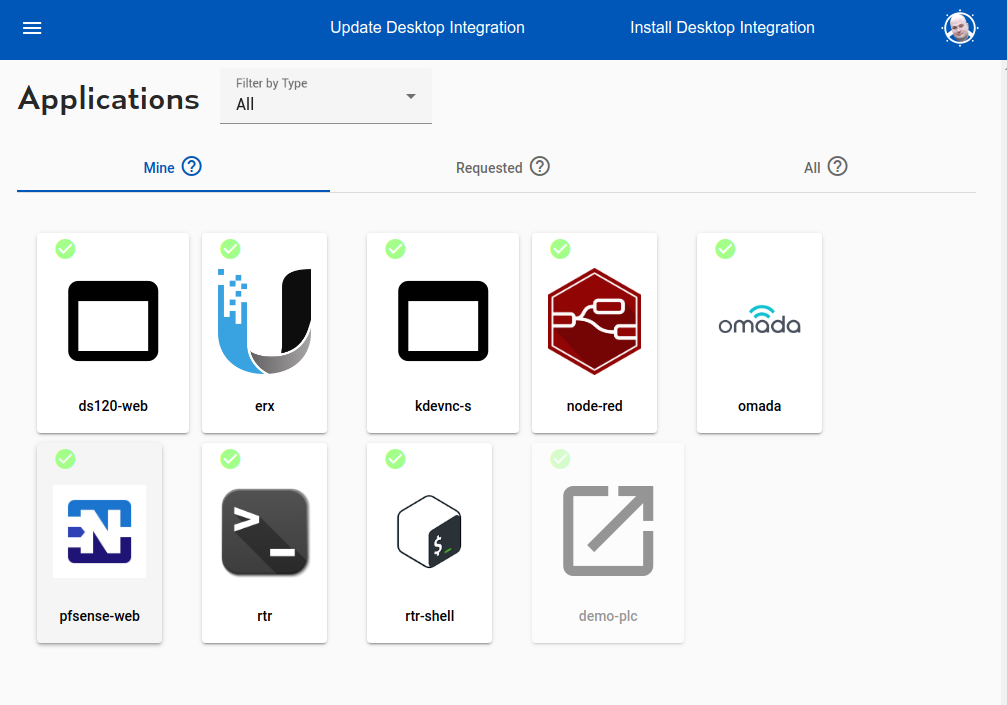
Profile
End user profile. Access applications, shares. Set up multi-factor authentication.
-

Resource Groups
Resource groups are a means of applying a common configuration across a set of resources (connectors, applications, shares, etc)
-

Resource groups
The Resource Groups page (route /resource-group-admin) collects resources into named groups so you can grant permissions to many resources at once. A resource group groups resources that are logically associated with one another, for example the multiple services that make up …
-

Resource permissions
The Resource Permissions page (route /resource-permissions-admin) grants access levels on resources, such as shares and generic TCP services used for SSH or database access. For a resource such as a share, a desktop, or a network service, permissions are access levels such as …
-

Resource requests
The Resource Access Requests page (route /resource-access-requests) lists the requests users have made for access to resources, and is where you approve or deny them. Users can self-request access to resources that they do not yet have. Each request appears here for an adminis…
-

Resources
Configure and publish secure Zero Trust access to internal web applications, network shares, desktops, databases, SSH, and port forwarders.
-

Resources
A resource is anything you expose through Agilicus AnyX. The platform treats each resource as an individual, protected object with its own name, address, policy, and permissions. This is what enables precise authorisation: you grant access to a specific resource (or a specific…
-
Resources – Overview, Concepts
Overview, Concepts Resources
-

Resources overview
The Resources overview page (route /resource-overview) is the master list of everything your organisation exposes through Agilicus AnyX, shown by type, and is the entry point for organising resources with labels and controlling whether users can request access to them. Every r…
-

SSH
The SSH pages (routes /ssh-overview and /ssh-new) manage secure shell resources. SSH (Secure Shell) is a remote command-line interface for system management. An SSH resource exposes an SSH service on your private network so users can connect with their SSH client, without a vi…
-
Sample Ubiquiti EdgeRouter-X EdgeMax Web Interface
Sample Ubiquiti EdgeRouter-X EdgeMax Web Interface
-

Send Events to Google SecOps
Configure Agilicus AnyX to send normalised audit events to Google Security Operations (SecOps) as Unified Data Model (UDM) events.
-
Service Accounts
A service account is a specific subset of permissions assigned to a non-human user. The most common use is the Agilicus Agent Connector.
-

Service accounts
The Service Accounts page (route /service-account-admin) manages the non-human identities that software and automation use to access the Agilicus API and your resources. A service account is a non-human identity that can use the Agilicus API or access resources without a user …
-
Services
A ‘service’ is a global resource (usually TCP) available from your domain of control to web applications running in the platform.
-

Sessions
The Session Audits page (route /session-audits) lists the authenticated sessions in your organisation: who is signed in, when the session started, how many times they have logged in, failed multi-factor challenges, and the source IP. From here you can revoke a session that sho…
-

Shared identity
The Shared Identity page (route /shared-identity) enables Agilicus-managed upstream identity providers. These are public sign-in providers (Apple, Google, Linkedin, Yahoo, and Microsoft) that Agilicus operates for you, so you can offer single sign-on to your users with no thir…
-

Shares
The Shares pages (routes /shares-overview and /shares-new) manage file shares. A share takes a directory on a local server and makes its contents available to any user, over HTTPS and WebDAV, without a virtual private network and without a client. See Resources (concepts) and …
-
Shares
Shares are a means of taking a directory on a local server and making the contents available to any user, without a VPN and with out a client.
-
Sign Up
Agilicus Platform provides Zero-Trust hosting and access, simply, securely. Any user, any device, any network. Strong identity.
-
Sign in With Apple
Sign in with Apple allows you to use resources through the Agilicus platform authenticated by an Apple ID.
-
Sign in With Microsoft
Sign in with Microsoft to the Agilicus Platform. Ramificatiosn of Shared vs your own Azure Active Directory Application.
-

Sign-In Errors
Explain the various errors a user might see on sign-in
-

Sign-In Theming
You can theme the authentication (sign-in) screen your users see. Learn how.
-

Sign-in theming
The Theming page (route /theming) controls how your organisation’s sign-in screen looks. Instead of a point-and-click editor, the portal takes a theme archive containing your logo, colours, and custom HTML and CSS, and serves it on every sign-in page your users see. Every orga…
-

Signup: Firewall Configuration
Restrictive firewalls (e.g. Palo Alto SSL) may filter by SNI (hostname) in outbound direction and break Signup. See how to configure.
-
Site Firewall Configuration
Restrictive firewalls (e.g. Palo Alto SSL) may filter by SNI (hostname) in outbound direction and break Signup. See how to configure.
-
Sub Organisation Issuer
You can now create an issuer for a suborganisation from a parent organisation. Doing so will bring up a new admin/profile endpoint for the suborganisation, at the suborganisation’s subdomain. E.g. admin.suborg.myorg.cloud.
-

Sub-organisations
A sub-organisation is a child organisation under your own. Sub-organisations make your tenant multi-tenant: each one has its own organisation name, its own DNS subdomain, and its own billing and control scope, while you keep central administration from the parent. The Sub-Orga…
-

Support
Interacting with Agilicus Support
-

Support requests
The Support Requests page (route /support-requests) manages temporary access for Agilicus support. When you raise a support request, Agilicus support can review and modify your configuration to help you; you can see the active support access and revoke it at any time. Some iss…
-
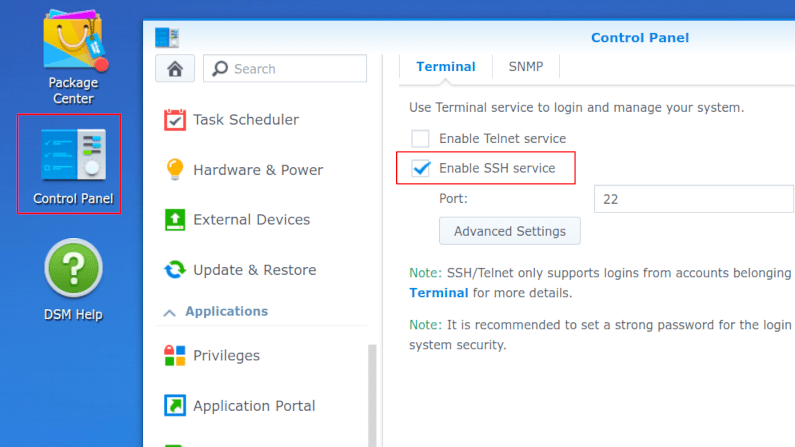
Synology Connector Install
Configure a Synology NAS with the Agilicus Agent Connector.
-

Templates
The Templates pages (routes /template-overview and /template-new) manage file templates. A template is a file whose contents are modified on a case-by-case basis depending on who or what is accessing it. Users request or download the template, and the platform fills in per-use…
-
Theory of Operation: CNAME + DOMAIN
Theory of operation: initial setup, choose a domain name, set the CNAME wildcard.
-
Time Synchronisation
Proper time synchronisation is important for encryption and access control. Access tokens have a not-before/expiry date that must be understood.
-
Usage Metrics
Platform usage metrics are available showing top-users and overall active counts.
-

Users
The Users page (route /user-admin) lists every person who can sign in to your organisation, shows their status and multi-factor authentication state, and is where you create, edit, disable, and delete user accounts. A user is a person authenticated against an external identity…
-
Users
Users. Individual human or system accounts that can be granted permission. Typically users are people, and, are tied to Agilicus AnyX via single-sign-on to an existing identity provider.
-
VNC Desktop
The VNC Desktop feature allows browser-based use of remote graphical-oriented resources. This can include traditional operating systems like Windows, Linux, MacOS, but, also, includes embedded devices such as HMI.
-
Variable Expansion
Variable expansion in strings can make mounting shares, or configuring desktops simpler
-
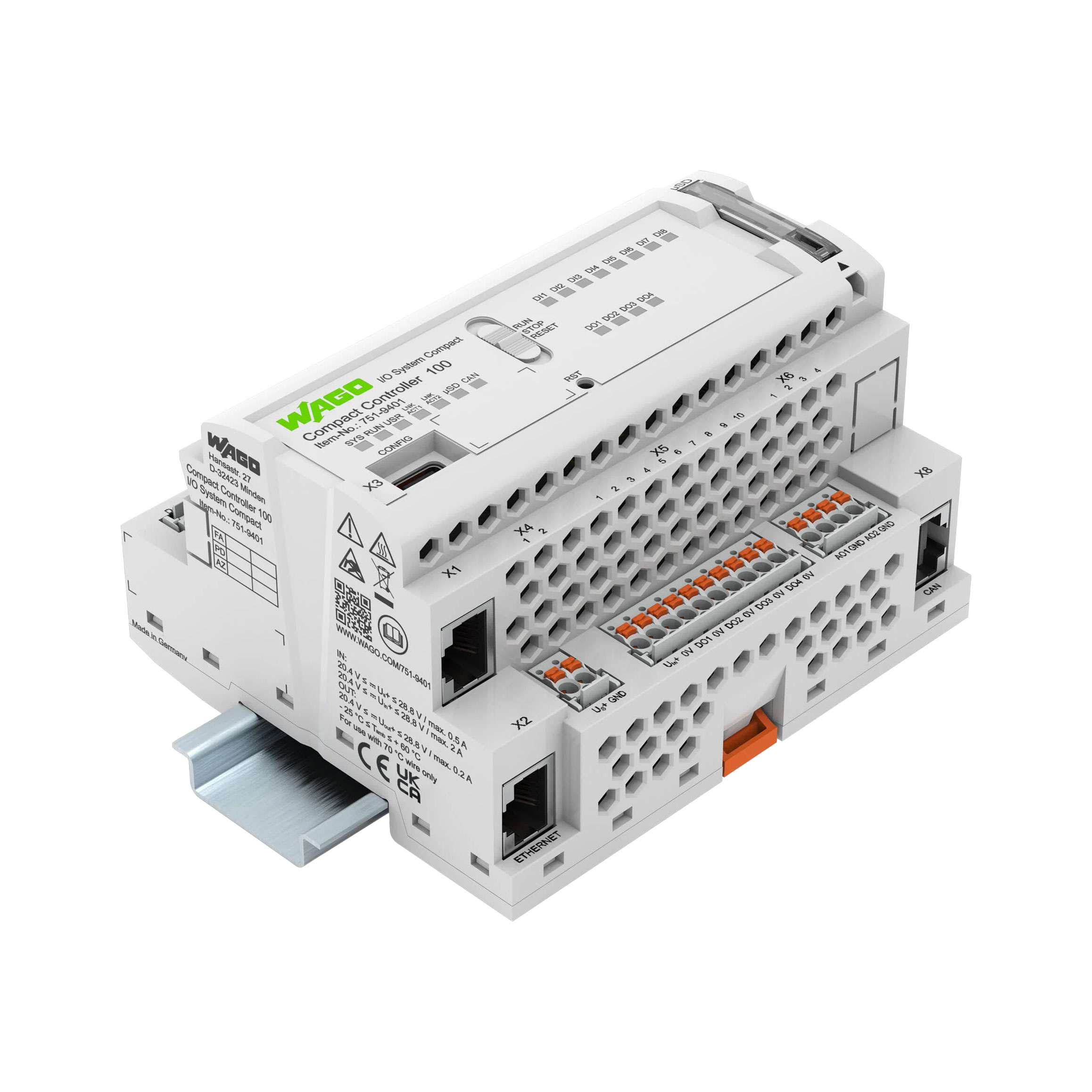
WAGO Edge Controller
The WAGO Edge Controller is a flexible and open control platform for many embedded and industrial applications. It provides an excellent vantage point to run the Agilicus Connector.
-
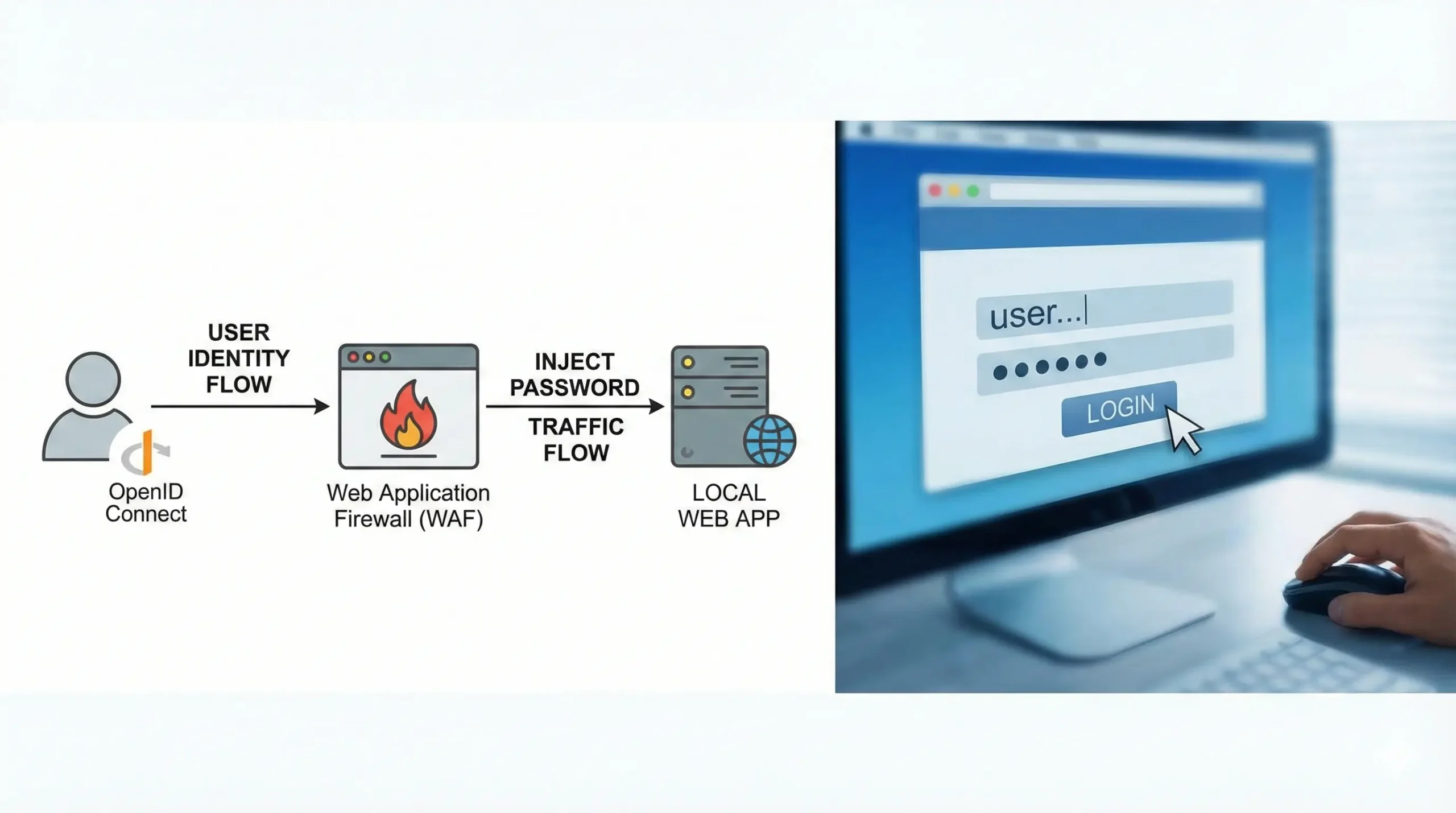
Web Application Password Injection
Learn to configure automatic login for web apps by mapping authenticated Agilicus AnyX users to a weak internal user with a hidden password.
-
Web Application Security
The Agilicus AnyX Web Application Firewall can be used to apply a set of Content-Security, XSS, CSRF rules to a proxied web application.
-

What is Agilicus AnyX?
Agilicus AnyX is a cloud-based zero trust network access platform. It gives users secure, granular access to an organisation’s applications, desktops, file shares, databases, and other resources without a traditional virtual private network (VPN) and without exposing any inbou…
-

Zero trust architecture
Agilicus AnyX implements a zero trust architecture: no device, user, or network is trusted by default. Every access request is authenticated and authorised individually, regardless of where the request comes from. The practical consequences for an administrator are: – your res…
-

Zero-Trust Desktop Access
Simplify and secure your Desktop Access. Fine-grained authorisation per Desktop. Any user, from any identity provider. No public IP needed.
-
Zero-Trust SSH Access
Simplify your SSH access with Zero Trust. Direct access to any internal server, cloud VPC or VLAN without changing firewall.