SIEM Event Forwarding
Forward events from devices on your network to your public cloud SIEM via the Agilicus Connector.
Overview
You have a set of restrictive networks. Your firewall disallows inbound and outbound traffic. You have a corporate directive to use a central SIEM such as Microsoft Sentinel or Google Security Operations (SecOps). Those in turn use practically unbounded public IP’s making it very difficult to construct safe outbound rules.
The Agilicus AnyX connector can provide safe egress forwarding. It does this via an SNI-inspecting proxy, selecting only the needed hosts, and, directly connecting them without breaking the encryption.
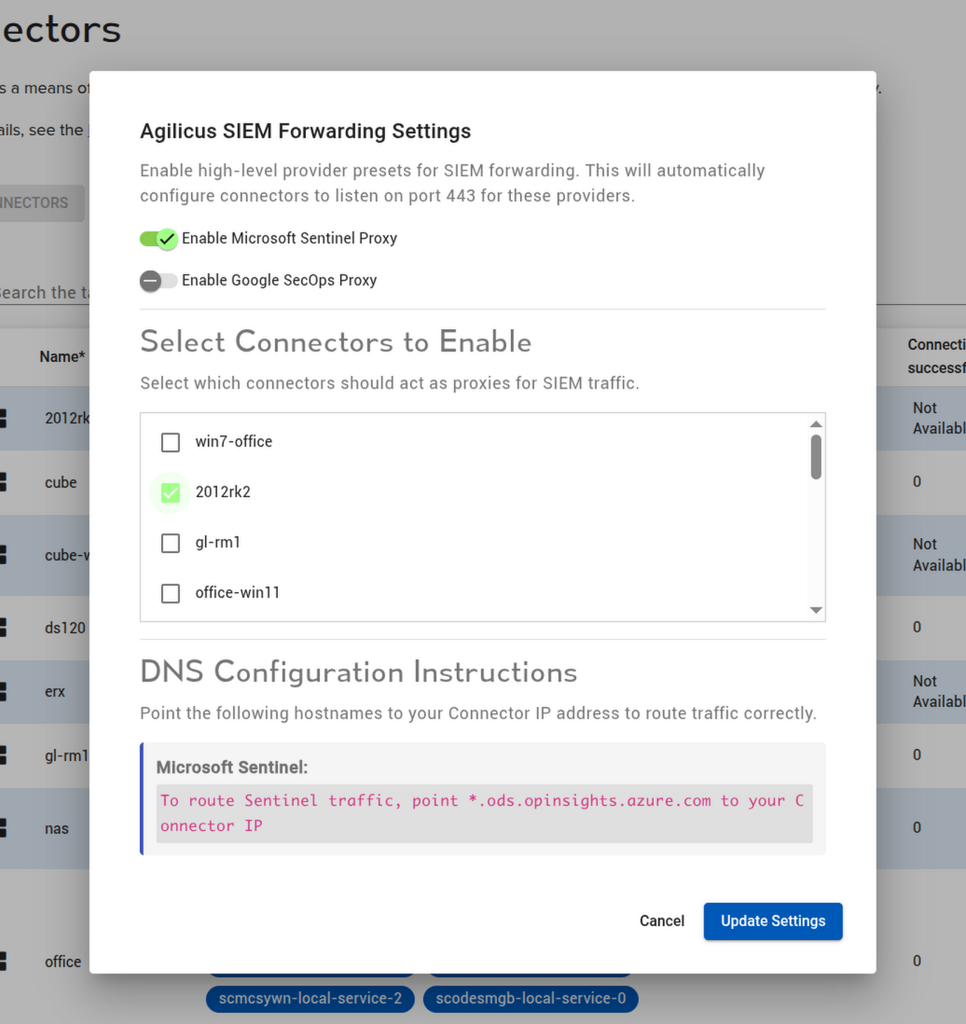
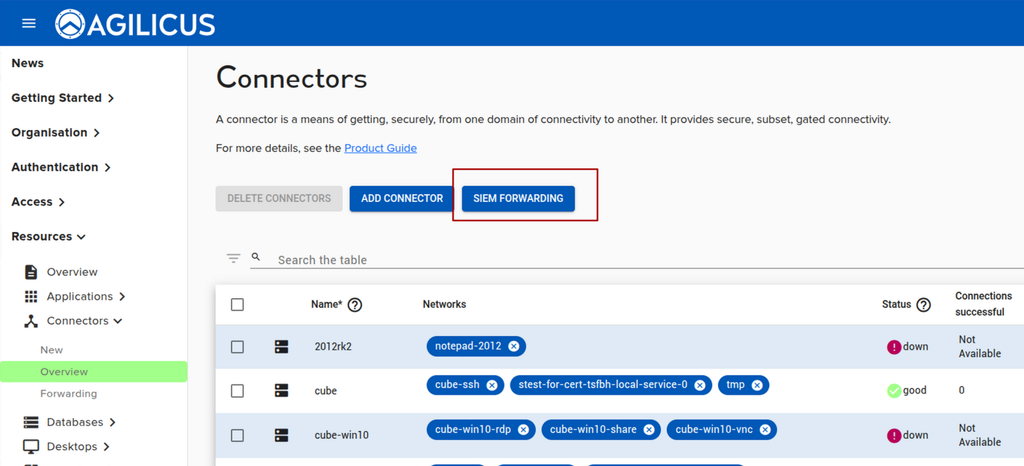
To configure, first enable the feature on the Connectors overview. Then select which SIEM(s) you wish enabled, and, the connector(s) that you wish to provide this service.
Note: this section is for configuring third party devices to forward through the Agilicus connector to a cloud-based SIEM. If you wish to configure the Agilicus connector to send its own audit messages, see e.g. “Send Events to Microsoft Sentinel SIEM” or “Send Events to Google Secops“.
At the bottom of the dialog you will see instructions for local DNS settings on the network. You will need to note the local IP address of your connector machines (the local to your network, often 10.x.x.x or 172.x.x.x or 192.168.x.x). You will then have to ensure that the DNS resolution on the remotes (the ones sending the logs) resolves to that connector for the given hostname. In the example below, if ‘2012rk2’ has a local IP of ‘10.1.2.3’, we would want to put an entry in the site DNS to have *.ods.opinsights.azure.com use 10.1.2.3 as the resolution.
Note: some sites might have public DNS (e.g. Google 8.8.8.8). This is not safe, it is possible to have IP over DNS VPN’s from (DNS tunnelling) allowing covert exfiltration and command and control channels to form.
If you do not have a DNS on the site, you can consider putting the entries in the local hosts file on each machine that will send logs.