
Network
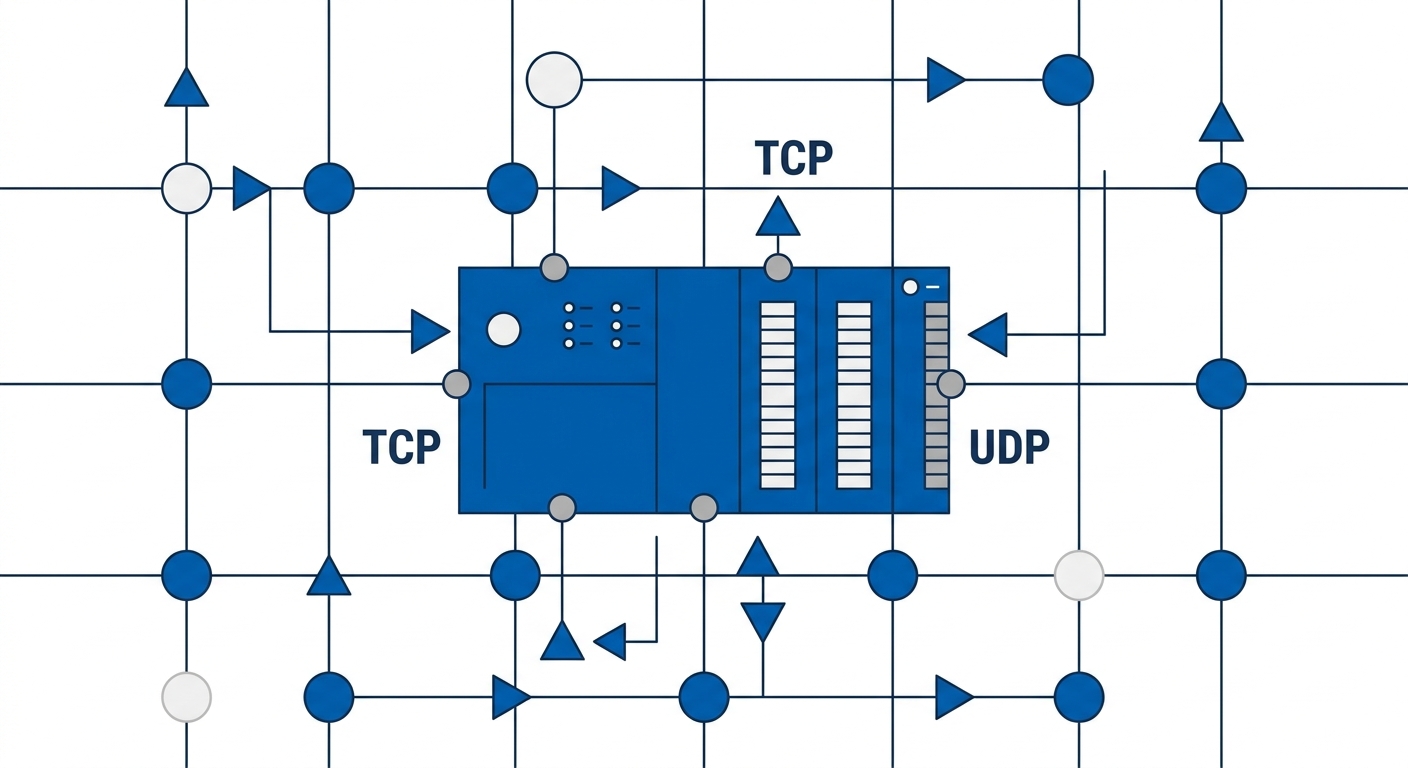
A network is a low level resource, it represents a single TCP or UDP port resource.
Network
A network is a low level resource, it represents a single TCP or UDP port resource. The Network is typically used, incorporated into, other Resources such as SSH, Desktop, etc.
For example, when you create an SSH Resource, a port-22 network is created.
Networks can be directly created to use with Service Forwarders, or, for a low level device like a PLC.
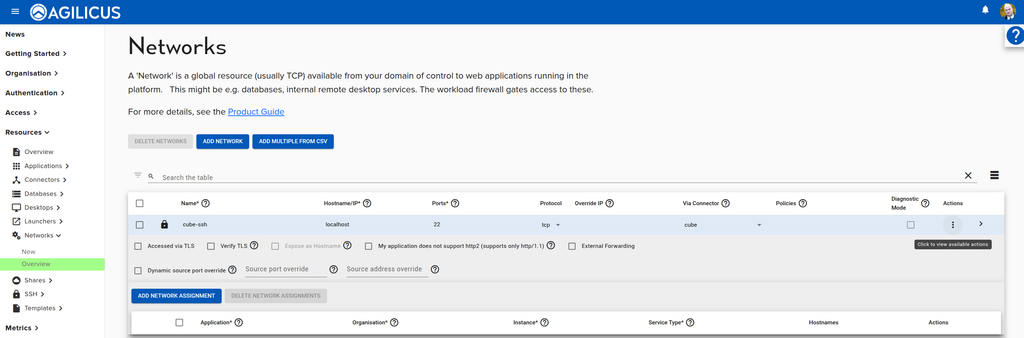
You may also adjust the Network configuration of an application or other Resource on the Networks Overview Screen.
To manually create a network,
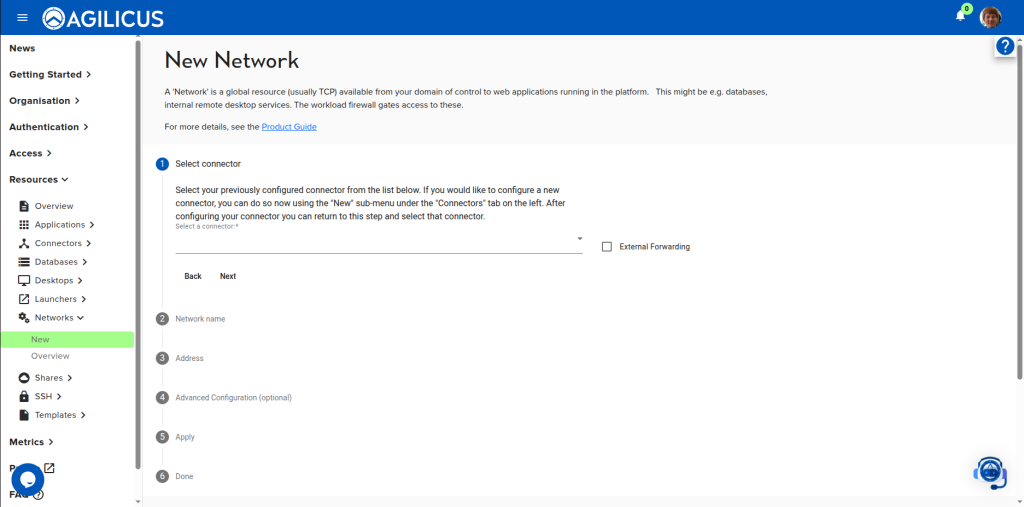
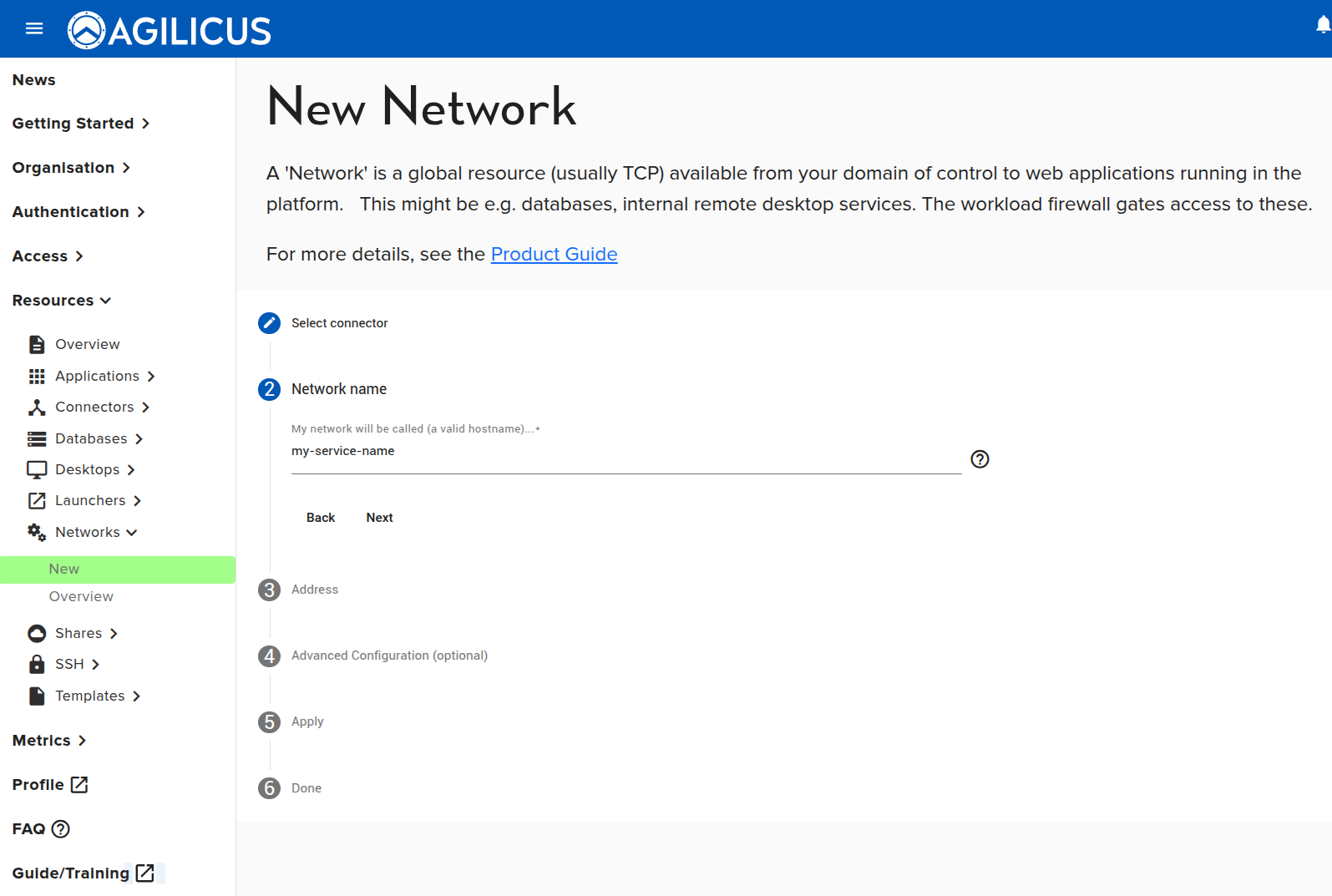
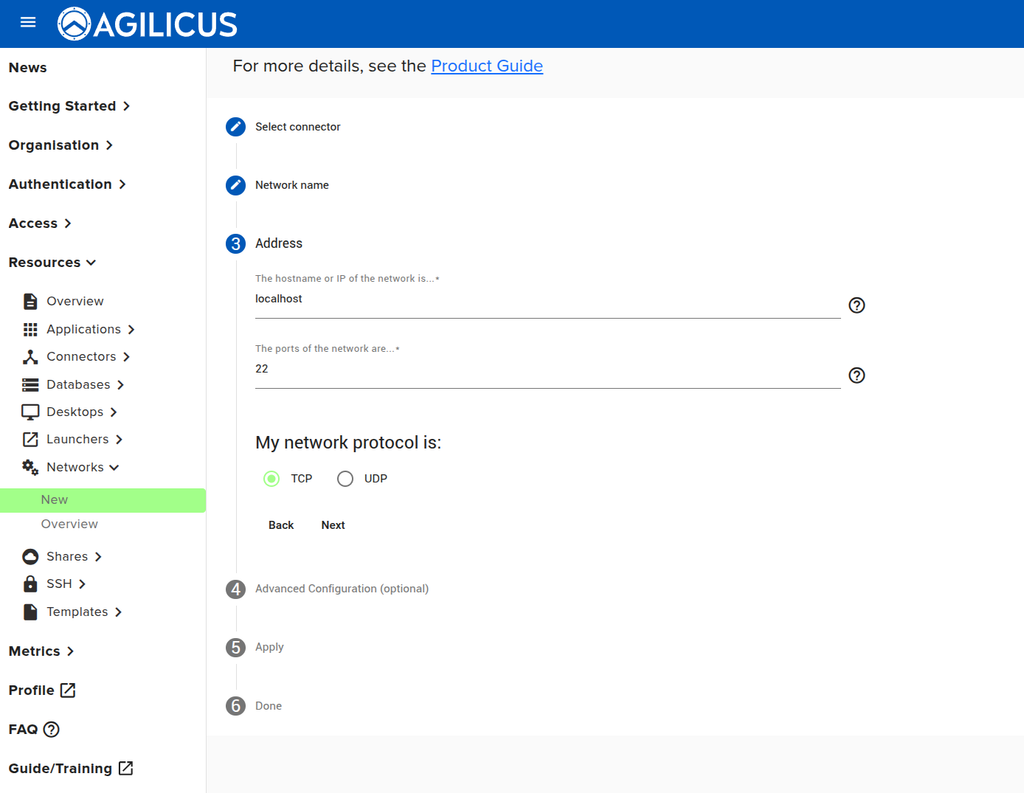
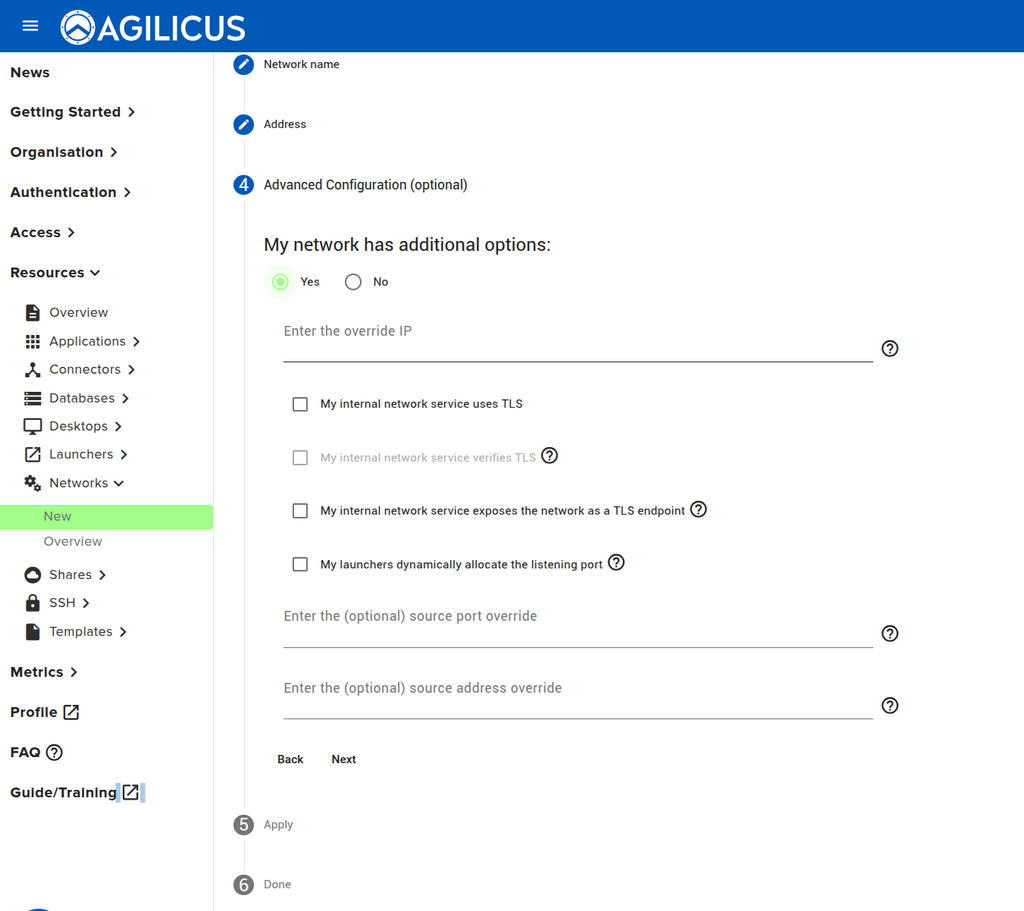
To adjust the settings on an existing network such as change its port, change its IP
External Networks
AnyX connnectors often straddle air-gapped networks, providing inbound access to sensitive resources. Systems behind the air-gap may need outbound access in order to function. That access is naturally prevented by the air-gap. The connector can act as an outbound proxy to traverse the air-gap, providing access only to the resources required by the systems.
There are four steps involved in this type of forwarding:
- Configuring an on-site connector to listen on the port(s) you wish to forward
- Configuring the external networks
- Configuring forwarders binding the external networks to connectors
- Configuring DNS in the air-gapped network so that requests for the external networks reach the connector.
NOTE ON SUPPORTED PROTOCOLS
❗
The connector needs to be able to identify where it should send data. For external networks, it relies on the Server Name Indicator (SNI) carried in the Transport Layer Security (TLS) handshake. This means that to use an external network, the service must use a TLS protocol like HTTPS. Other protocols such as UDP, or unencrypted TCP like SMTP, are unsupported.
Configuring Connectors
To configure the connector to listen, follow the steps described in https://www.agilicus.com/anyx-guide/product-guide-shares/#advanced-setup-local-routing-performance for the connector.
Configuring External Networks
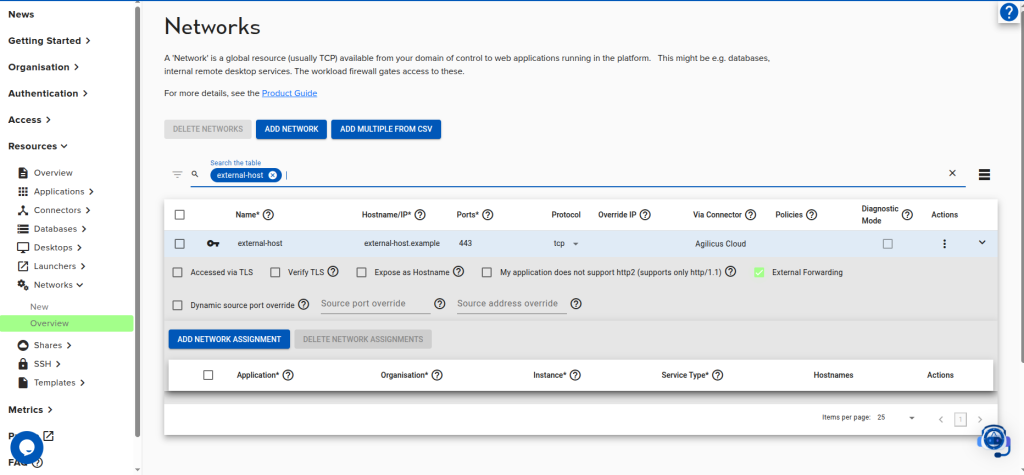
AnyX routes to a network by identifying the connector to which it is bound. A special connector “Agilicus Cloud” serves this purpose for external networks. The mark a network as external, either choose “External Forwarding” when you first create it, or click “the “External Forwarding” in the networks overview:
Configuring Forwarders
To bind the external network to a connector, you need to create a forwarder establishing that binding. Simply choose the source connector and destination network.
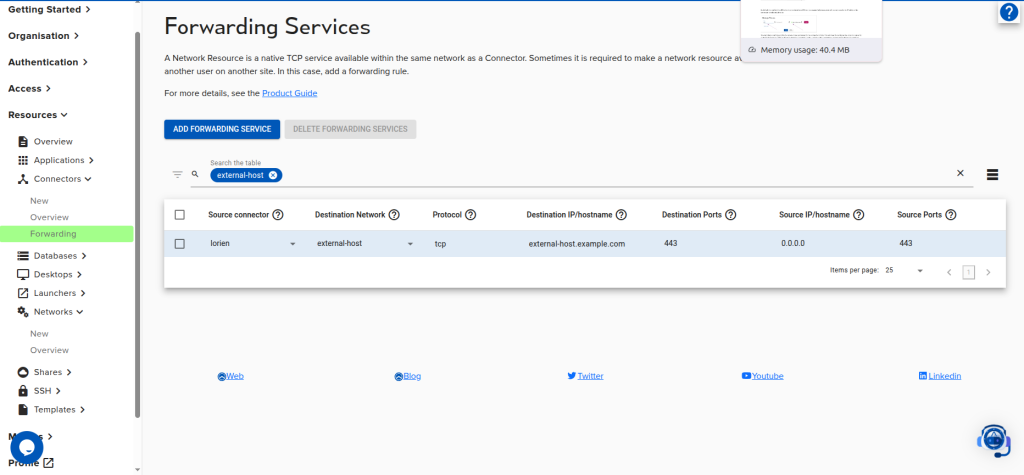
The forwarder tells the connector that it is allowed to route requests for the destination hostname externally.
Configuring DNS
The requests for the external host must reach the connector so that it may forward them. In air-gapped networks DNS often will not resolve external domains. Even if the domain name resolves, it will likely be to an external IP blocked by the air-gap. Configuring DNS in the air-gap so that the domain resolves to the connector’s IP ensures that the connector will receive requests for that host.
Consult the following guide for some examples of how to configure DNS to point to a connector: https://www.agilicus.com/anyx-guide/product-guide-shares/#advanced-setup-local-routing-performance