Category:
Authentication, User Permissions
A user can only be tied to one Identity provider. In some cases (for example, switching from the Microsoft Shared Identity to a Custom Application Registration) you may wish to reset this association.
This need can also arise if you switch from on-premise Microsoft Active Directory to Microsoft Entra without migrating the users.
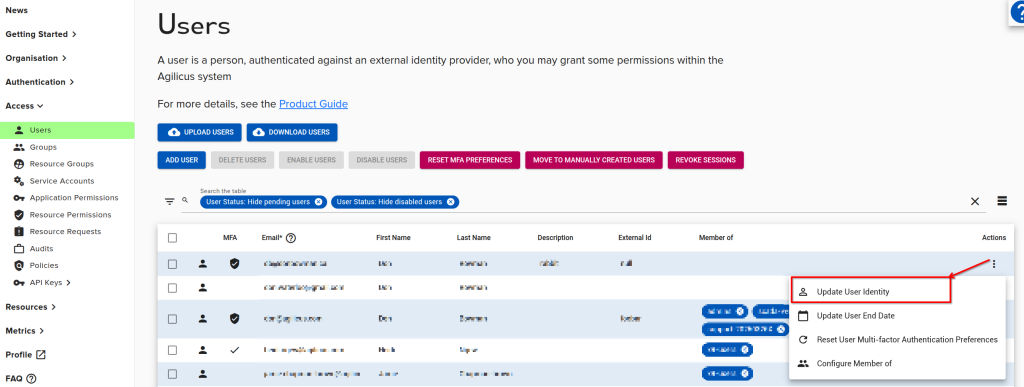
To do this, on the users screen, use the action-menu (the 3-dots button on the right), and select ‘Update User Identity’. This will unset the association, which will be recreated on the next sign in.