
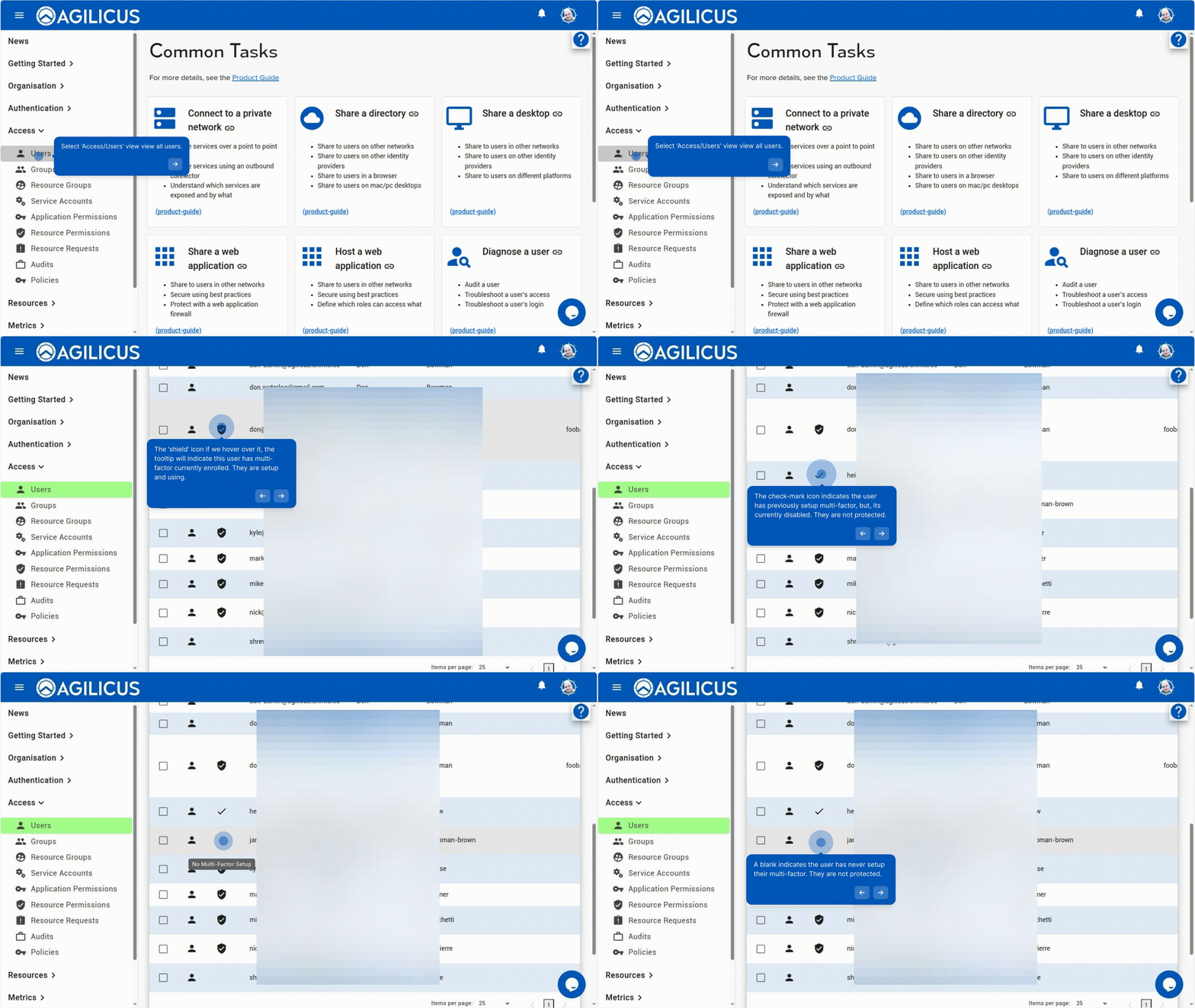
To check the multi-factor status of many users at once, use the Users overview screen.
On this screen we can see a column for multi-factor authentication, which in turn has 3 values:
- Shield: user has multi-factor enrolled and enabled
- Check: user has enrolled multi-factor, but it is disabled
- Blank: user has not enrolled multi-factor.
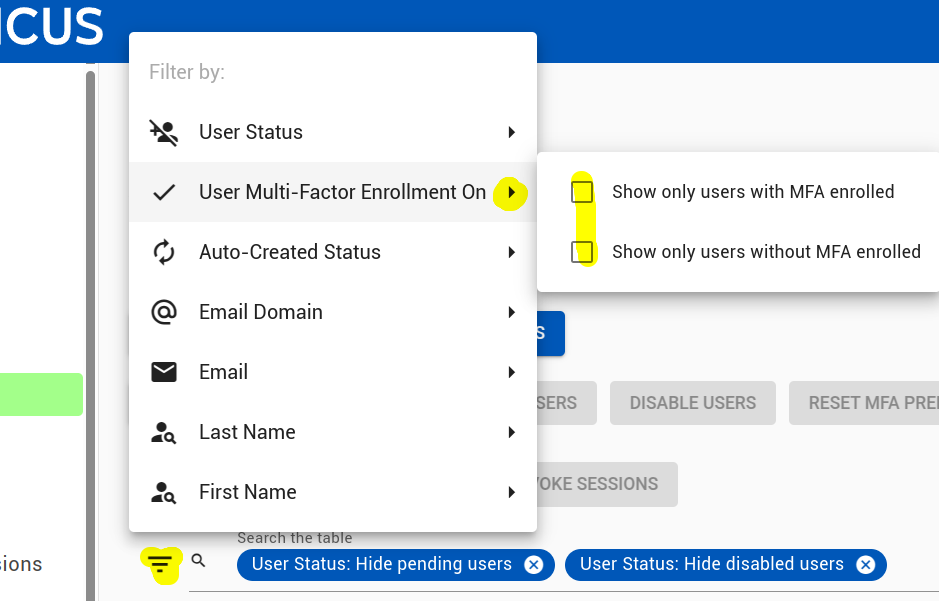
You can filter users by name, or, by their multi-factor status using the ‘filter’ box as below.