The end-user can setup their desktop PC as a multi-factor device for desktop web usage, if the device has a secure trust store (typically a Trusted Platform Module).
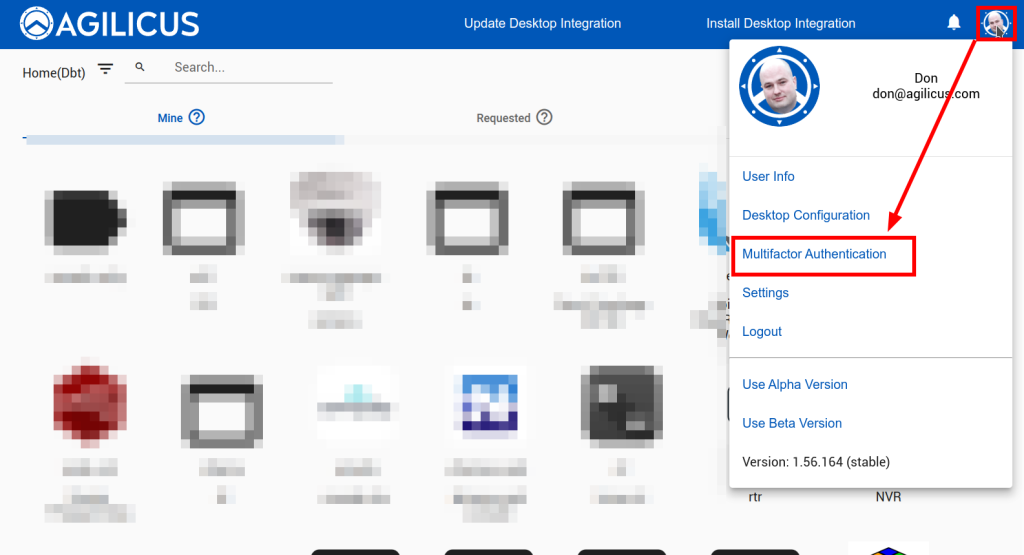
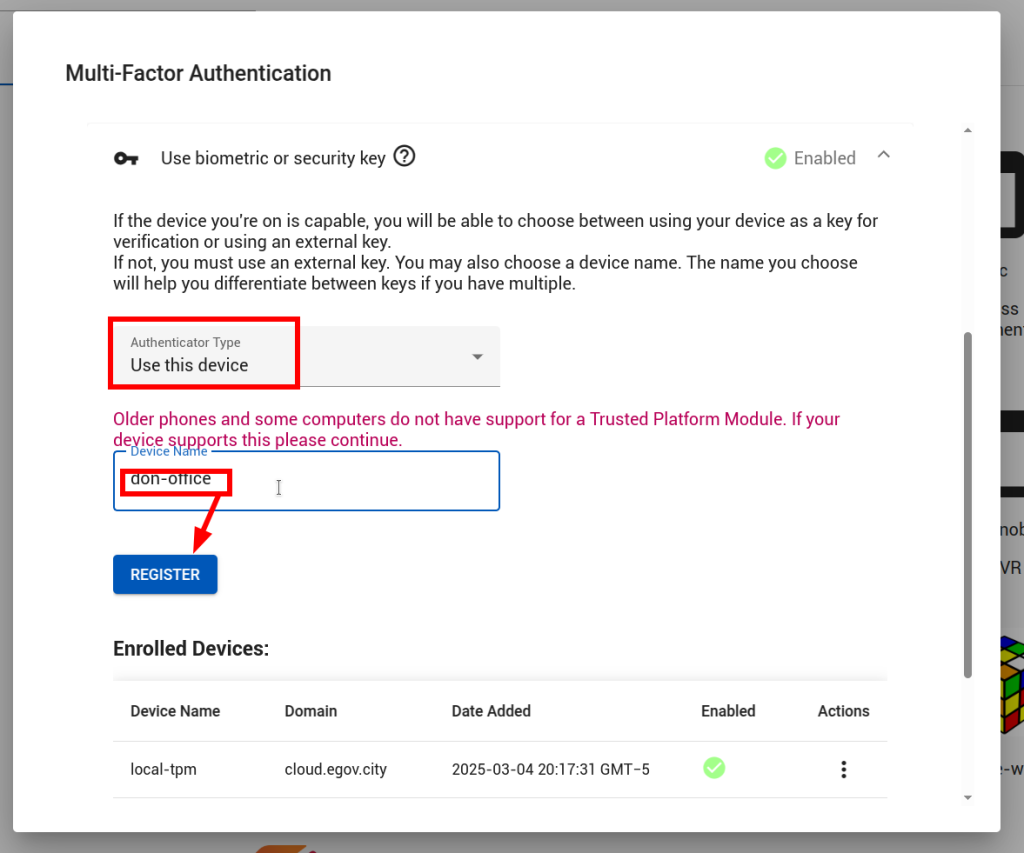
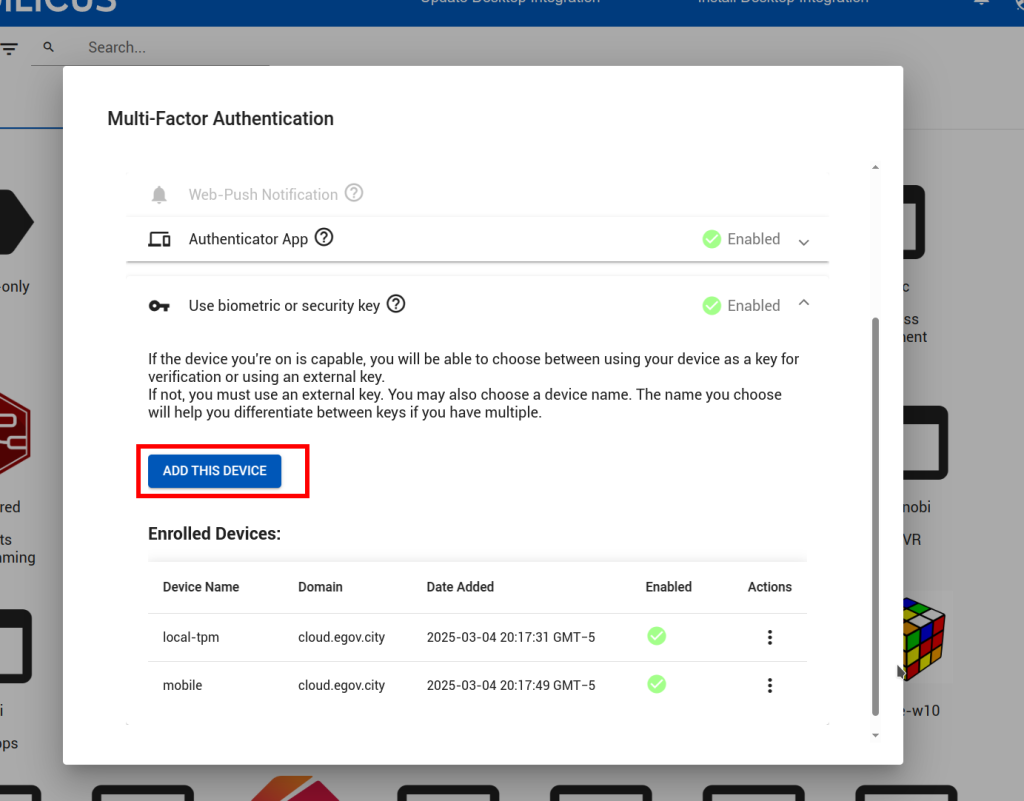
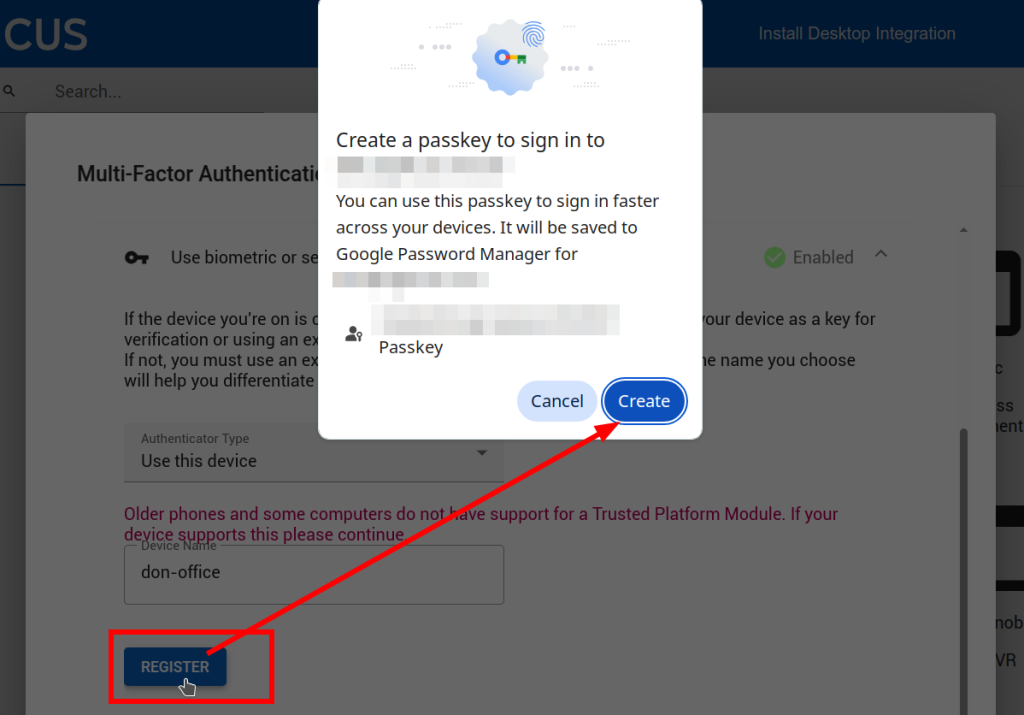
In https://profile.__MYDOMAIN__, select the profile menu, then multi-factor configuration. From here, select “use biometric or security key”. Select “use this device”. Give it a name (e.g. my-shoe-phone). Click register.
Depending on your OS and its setup, the results may vary (e.g. it might discuss Windows Hello, or Apple trust store, or Passkey). These will all lock the device to the site as a second factor for authentication.