
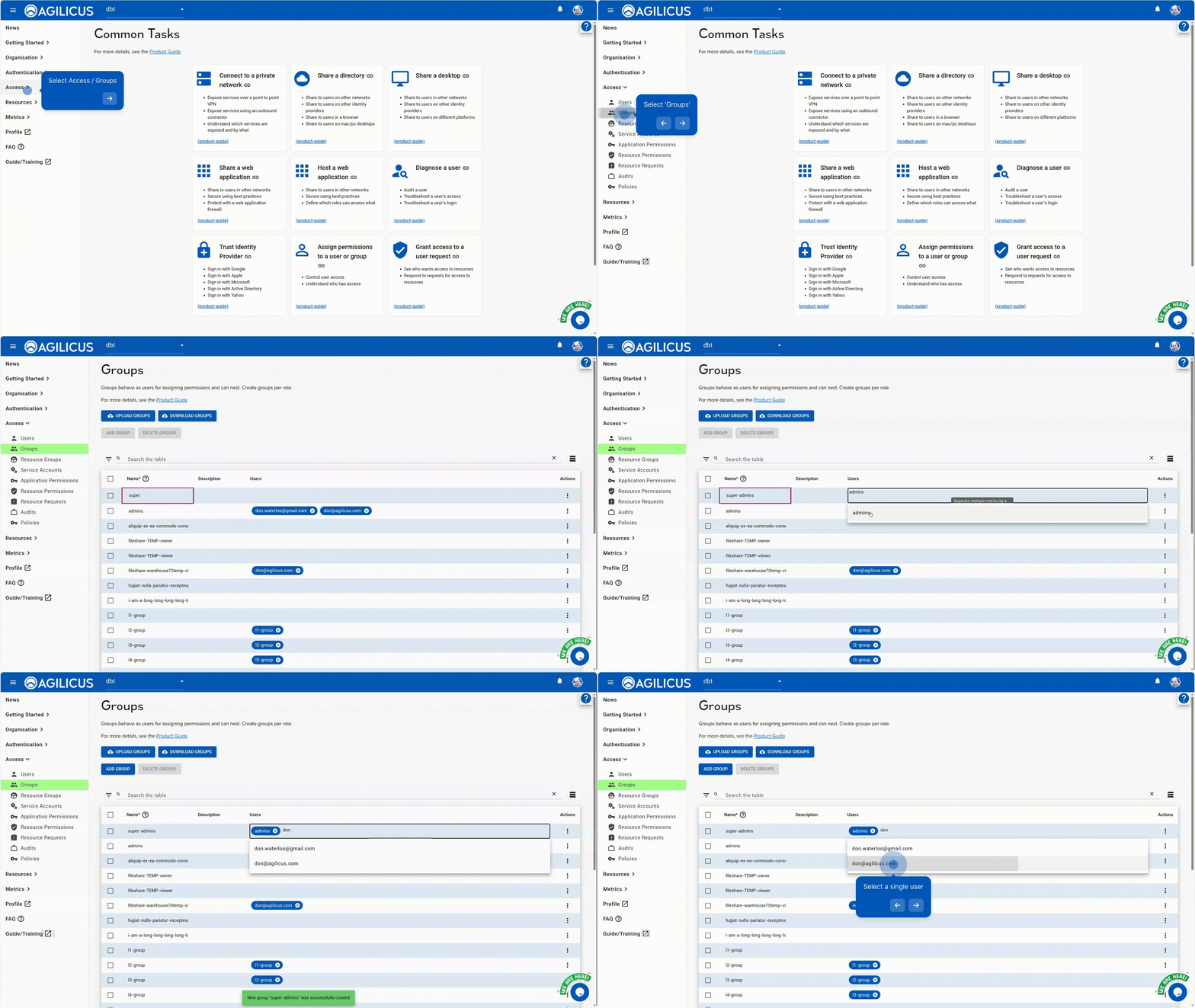
Groups are used to simplify assigning permissions. It reduces the number of steps when adding a user to 1: adding to the appropriate group.
Example
We have a resource called ‘timesheet’. All users have permission to see their timesheet.
We have a resource called ‘water-HMI’. Water operators are allowed to see this resource.
We can create an ‘all users’ group, give permission to timesheet to it, and, add all users to it.
We can create a ‘water-operators’ group, put specific people in it (as well as all users), and give it permission to see water-HMI.
A variation would be to add the ‘water-operators’ group to ‘all users’ group, meaning the water-operators are in a single group.
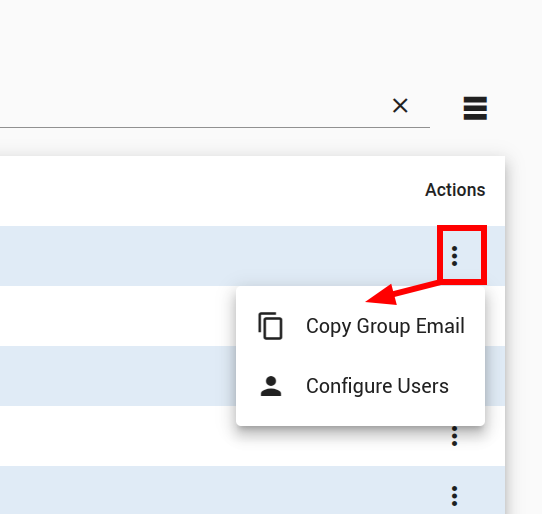
When assigning a group permission to e.g. a system group for admin, you may need its ’email’ name. You can obtain this via the ‘action button’ on the far right of the group line, with “Copy Group Email”.