The end-user can setup their mobile phone as a multi-factor device for desktop web usage.
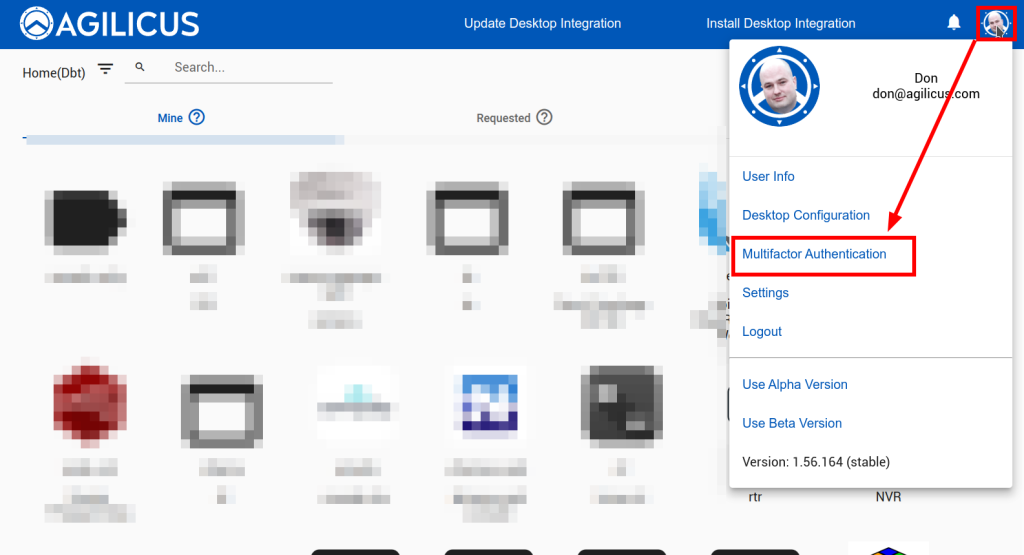
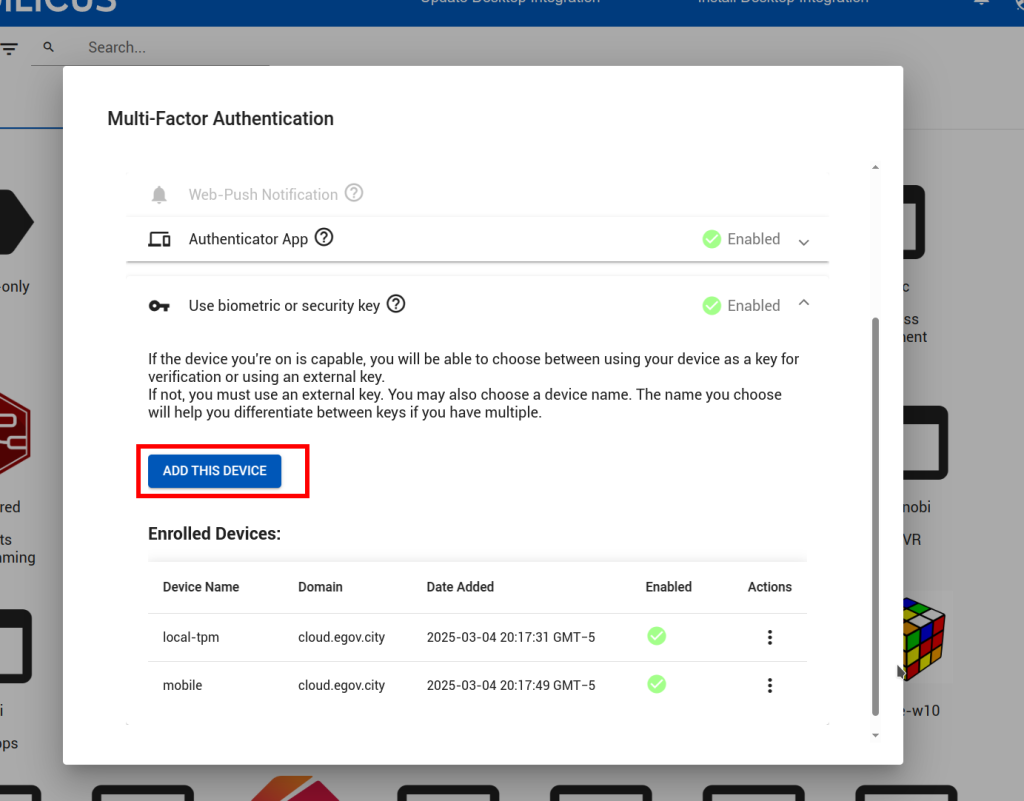
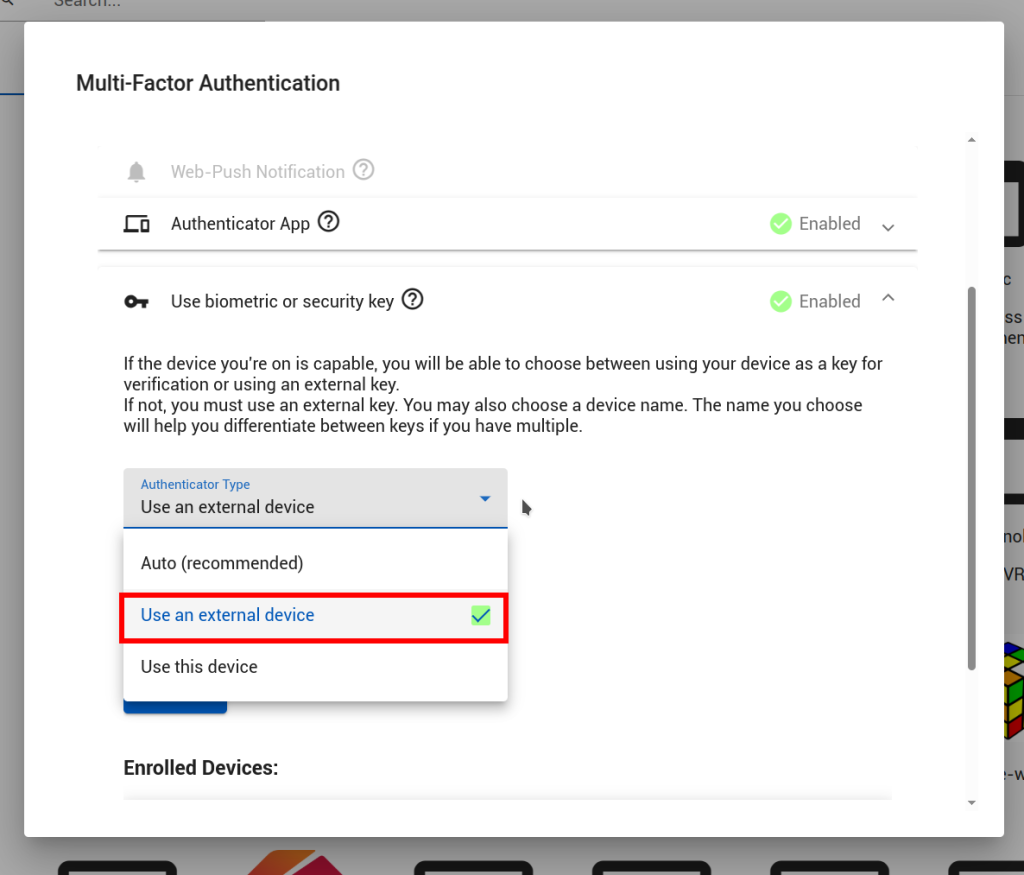
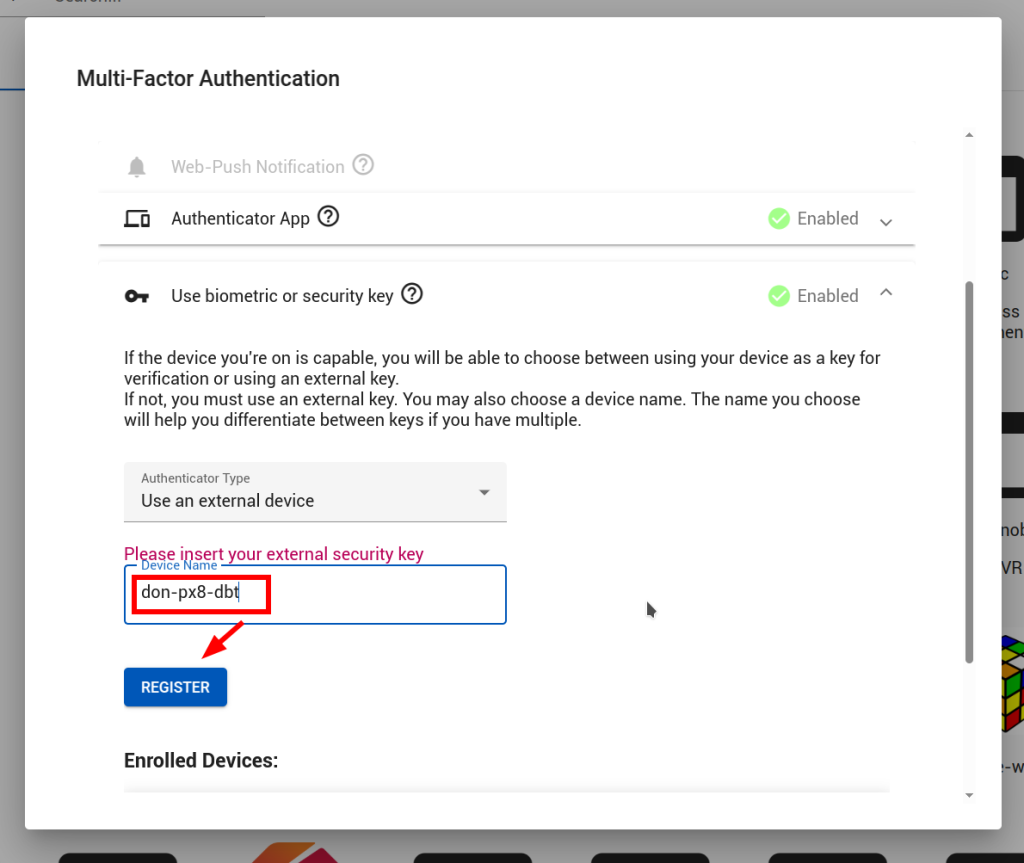
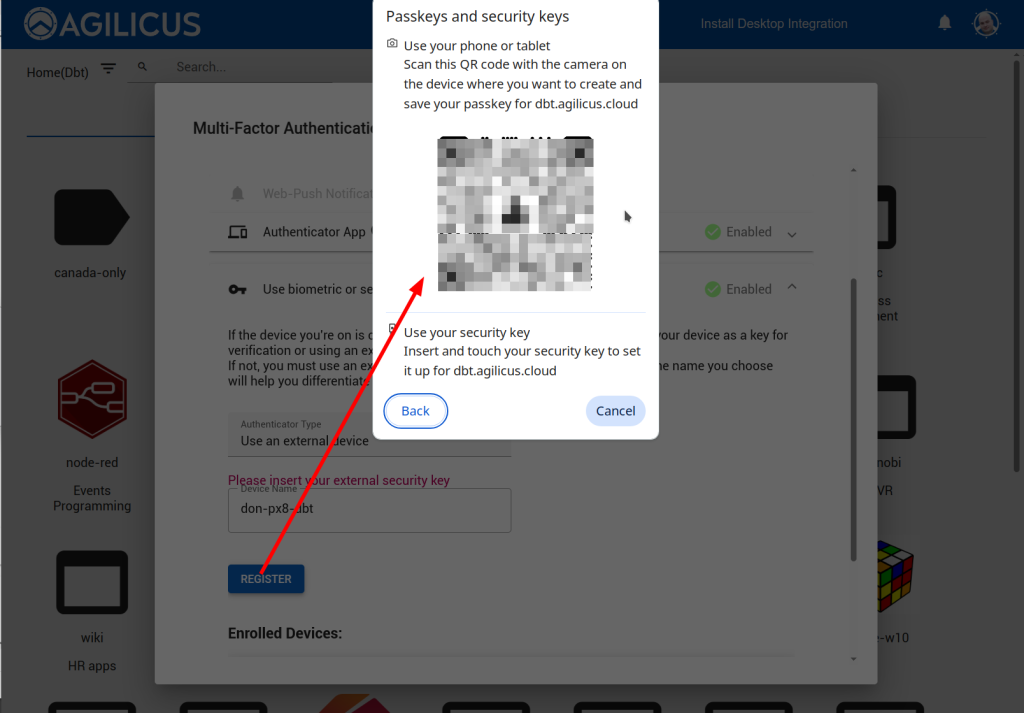
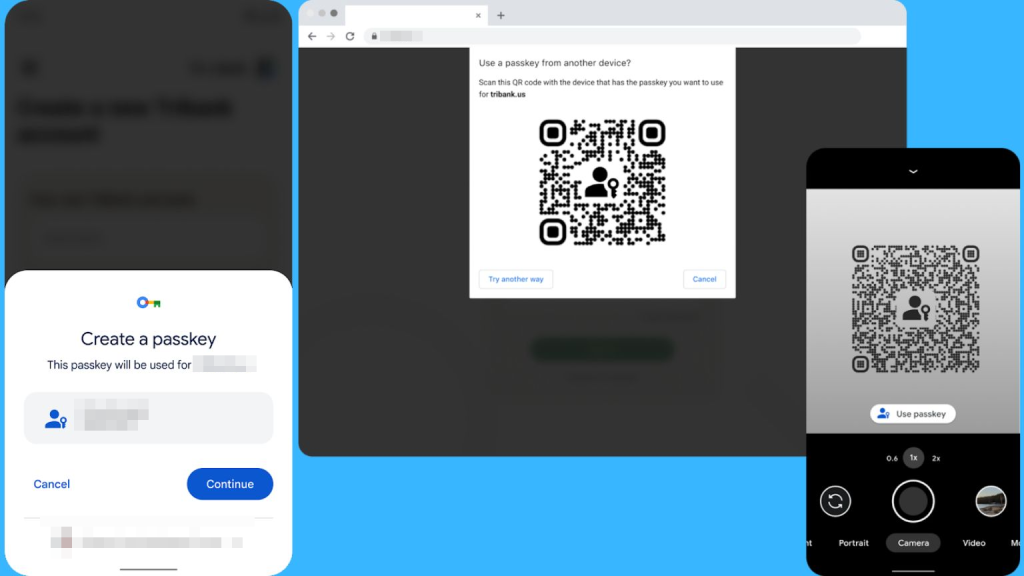
In https://profile.__MYDOMAIN__, select the profile menu, then multi-factor configuration. From here, select “use biometric or security key”. Select “use external device”. Give it a name (e.g. my-shoe-phone). Click register. A QR code will pop up, open the camera on your phone, point it at the QR code, and select ‘use passkey’. The phone will now prompt you to complete.